CrossPoint Reader
Korean firmware v1.2.0-ko.18
May 4, 2026 releasedA complete open-source firmware for the Xteink X3 and X4 e-ink readers.
A single firmware supports both models, with full Korean EPUB and TXT reading.
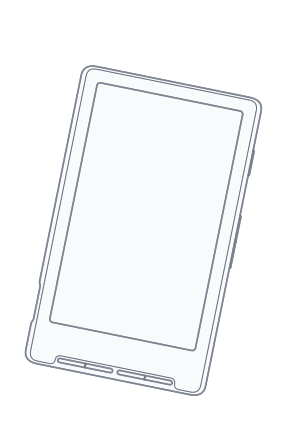
 CrossPointv1.2.0-ko.18
 CrossPointv1.2.0-ko.18
Key Features
Highlights of the Korean edition of CrossPoint Reader.
Full Korean EPUB support
Bundled KoPub Batang plus custom .epdfont fonts render Hangul, Hanja, and special characters cleanly. Supports EPUB, TXT, XTC, and XTCH formats.
One-click web flasher
Flash directly over USB from Chrome or Edge—no esptool install or driver setup required. Partition detection and automatic hard reset are handled for you.
WiFi file management & OPDS
Upload wirelessly via the built-in web server, download straight from OPDS catalogs, or share files in hotspot mode without a router.
KOReader cloud sync
Connect to a KOReader Sync server to keep reading position and progress in sync across phones, tablets, and other readers. Calibre Web integration is also supported.
X3-only sensor features
Tilt-to-turn pages (QMI8658 gyro) and a status-bar clock (DS3231 RTC with NTP sync) are supported. Automatically hidden on the X4. (v1.2.0-ko.12)
Smart reading environment
Auto page turn, inline footnote navigation, manual refresh via the power button, and fine-grained layout controls. Customize the sleep screen with a cover or your own image.
Quick Install
Install firmware right from your web browser.
Connect USB
Connect the X4 with a USB-C cable, or the X3 with the included magnetic cable, to your computer.
Run the web flasher
Open the web flasher, connect your device, and choose the firmware.
Flash complete
The device reboots automatically once flashing finishes. If it appears stuck, press the Reset button and hold the power button for at least one second to boot.
This Korean firmware is built on top of the project below.
crosspoint-reader/crosspoint-reader
Open-source firmware for the Xteink X4 e-ink reader. Supports EPUB reading with WiFi file upload.
Also thanks to the inspiring diy-esp32-epub-reader by atomic14.
Contributors








If you'd like to sponsor the project
Useful Links
Handy resources to use alongside the Xteink X3/X4.
Official Web Flasher
Install firmware directly from your web browser.
xteink.dve.alX4 Converter
A file conversion tool dedicated to the X4.
x4converter.rho.shEPUB to XTC
Convert EPUB files into the XTC/XTCH format.
epub2xtc.streamlit.appCalibre Workflow
A Calibre plugin for optimizing EPUB files.
GitHubCalibre Plugins
A plugin that sends EPUB files from Calibre to CrossPoint Reader over WiFi.
GitHubDiscord Community
Chat with other users and get help.
Join the communityReadme.club
A community for Xteink users.
www.readme.clubX4 Wallpaper Converter
Convert images into BMP files for the X4 sleep screen.
wallpaperconverter.jakegreen.dev